| day | innovation | path |
|---|---|---|
| 1 | 1.371 | 1.371 |
| 2 | -0.565 | 0.806 |
| 3 | 0.363 | 1.169 |
| 4 | 0.633 | 1.802 |
| 5 | 0.404 | 2.207 |
| 6 | -0.106 | 2.100 |
Lorem ipsum: a Quarto field notebook
An executable R publishing showcase
showcase
A public design showcase for typography, executable R, figures, citations, and interactive charts.
NoteDesign showcase
This page is a public design and publishing demonstration for feedback, using placeholder prose and entirely synthetic data. It is not a finished research article and makes no investment claims. The examples execute locally with R, knitr, ggplot2, DT, and Plotly.
1 Prose and structure
Lorem ipsum dolor sit amet, consectetur adipiscing elit. Integer posuere erat a ante venenatis dapibus posuere velit aliquet. Donec ullamcorper nulla non metus auctor fringilla. Aenean lacinia bibendum nulla sed consectetur.
Strong emphasis, quiet emphasis, deleted text, and inline code can sit beside ordinary prose. A footnote adds a small aside without breaking the paragraph.1
1 Lorem ipsum dolor sit amet. This footnote demonstrates the reading experience; it is not a research reference.
Lorem ipsum dolor sit amet, consectetur adipiscing elit. Sed posuere consectetur est at lobortis.
- A research note
- A short definition can live directly in the article.
- A computational article
- Prose, source code, and evaluated output travel together.
- Introduce the question.
- Show enough code to reproduce the calculation.
- Explain what the outputs mean.
- Prepare inputs.
- Compute a result.
- Review the evidence.
1.1 An aside in the margin
Margin note. Lorem ipsum dolor sit amet. Quarto can place short annotations beside the main text on wide screens.
Cras mattis consectetur purus sit amet fermentum. Maecenas faucibus mollis interdum. Nulla vitae elit libero, a pharetra augue. Praesent commodo cursus magna, vel scelerisque nisl consectetur et.
2 Executable R and inline results
This paragraph contains evaluated R: the example has 252 observations, with a sample mean of -0.0244. The values are computed from the same data used in Figure 1 and Table 1. R itself is documented by R Core Team (2026).
Lorem ipsum dolor sit amet, consectetur adipiscing elit. Vestibulum id ligula porta felis euismod semper. Etiam porta sem malesuada magna mollis euismod. Curabitur blandit tempus porttitor.
2.1 Folded code and tabular output
The disclosure below contains executable code. The page’s Code menu can show or hide all code and display the article source.
2.2 Annotated code
The explanations stay below the code on every screen size. Select a numbered explanation to highlight its line; copy the code using the separate toolbar.
3 Figures and cross-references
Show R code
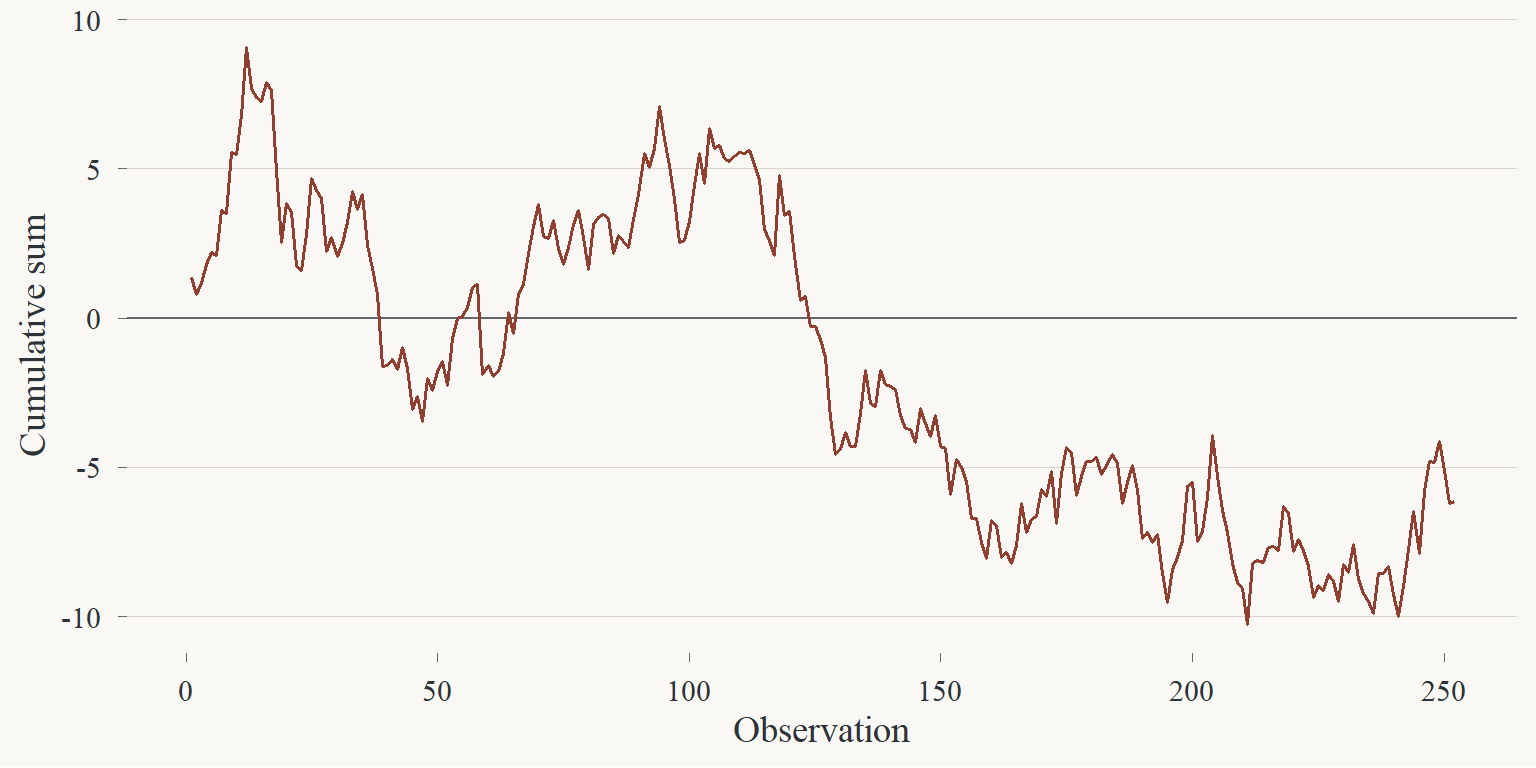
Figure 1 is numbered automatically. Click the image to try the lightbox. A cross-reference such as Section 2 also follows the section if it moves.
3.1 Side-by-side figures
Show R code
par(
  bg = paper, fg = ink,
  col.axis = ink, col.lab = ink,
  mar = c(4, 4, 1, 1)
)
hist(research$innovation, breaks = 20, col = "#cba092",
     border = paper, main = "", xlab = "Innovation", ylab = "Count")
qqnorm(research$innovation, main = "", pch = 16, cex = 0.6, col = copper)
qqline(research$innovation, col = ink)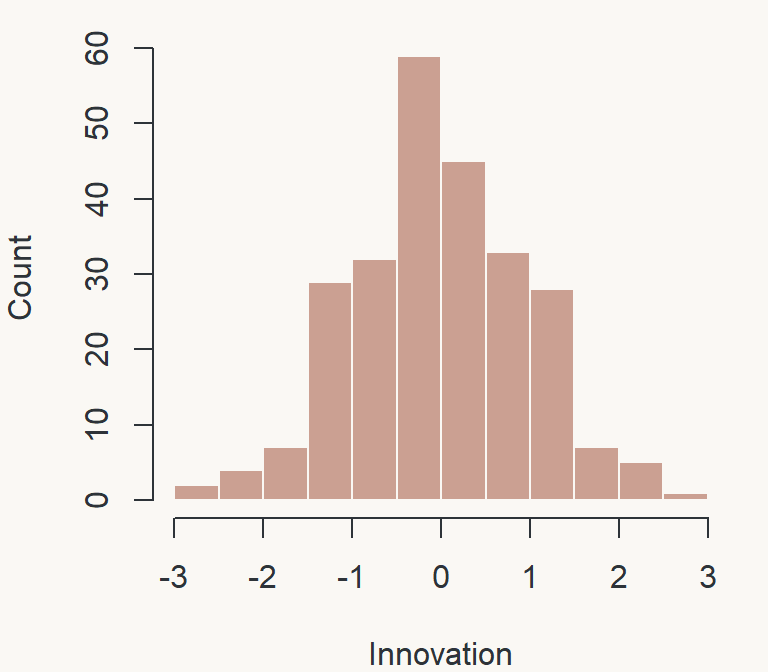
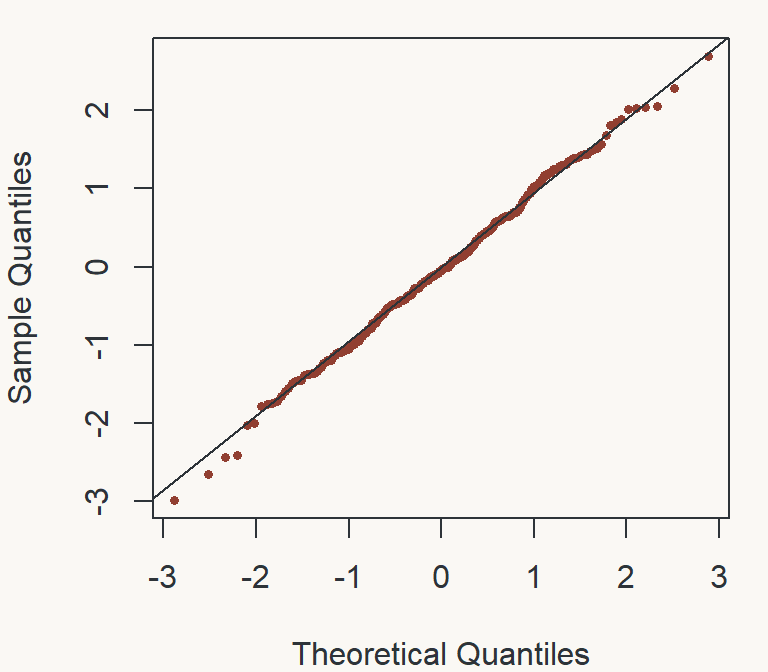
Lorem ipsum dolor sit amet, consectetur adipiscing elit. Duis mollis, est non commodo luctus, nisi erat porttitor ligula, eget lacinia odio sem nec elit.
4 A shared plotting palette
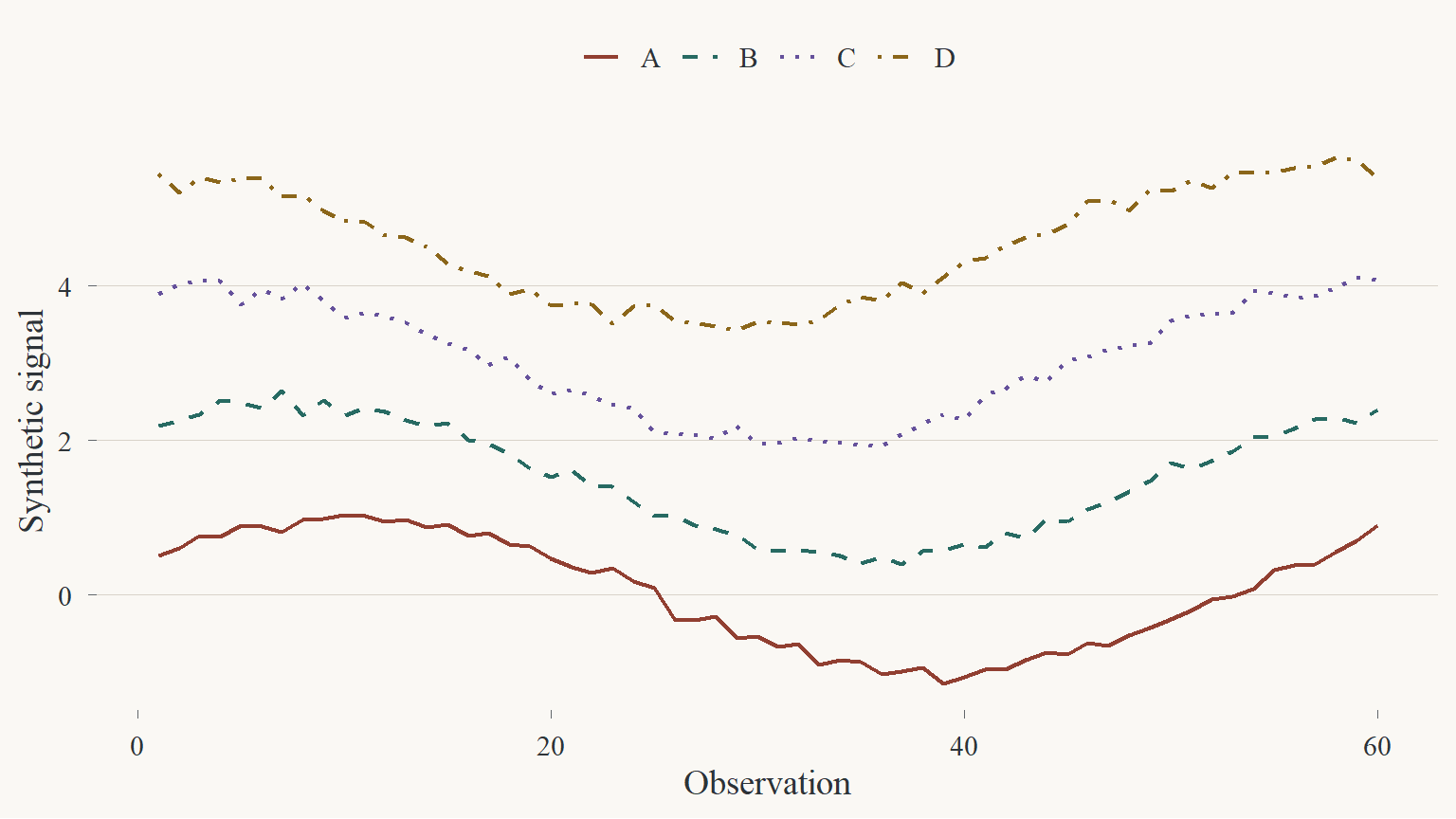
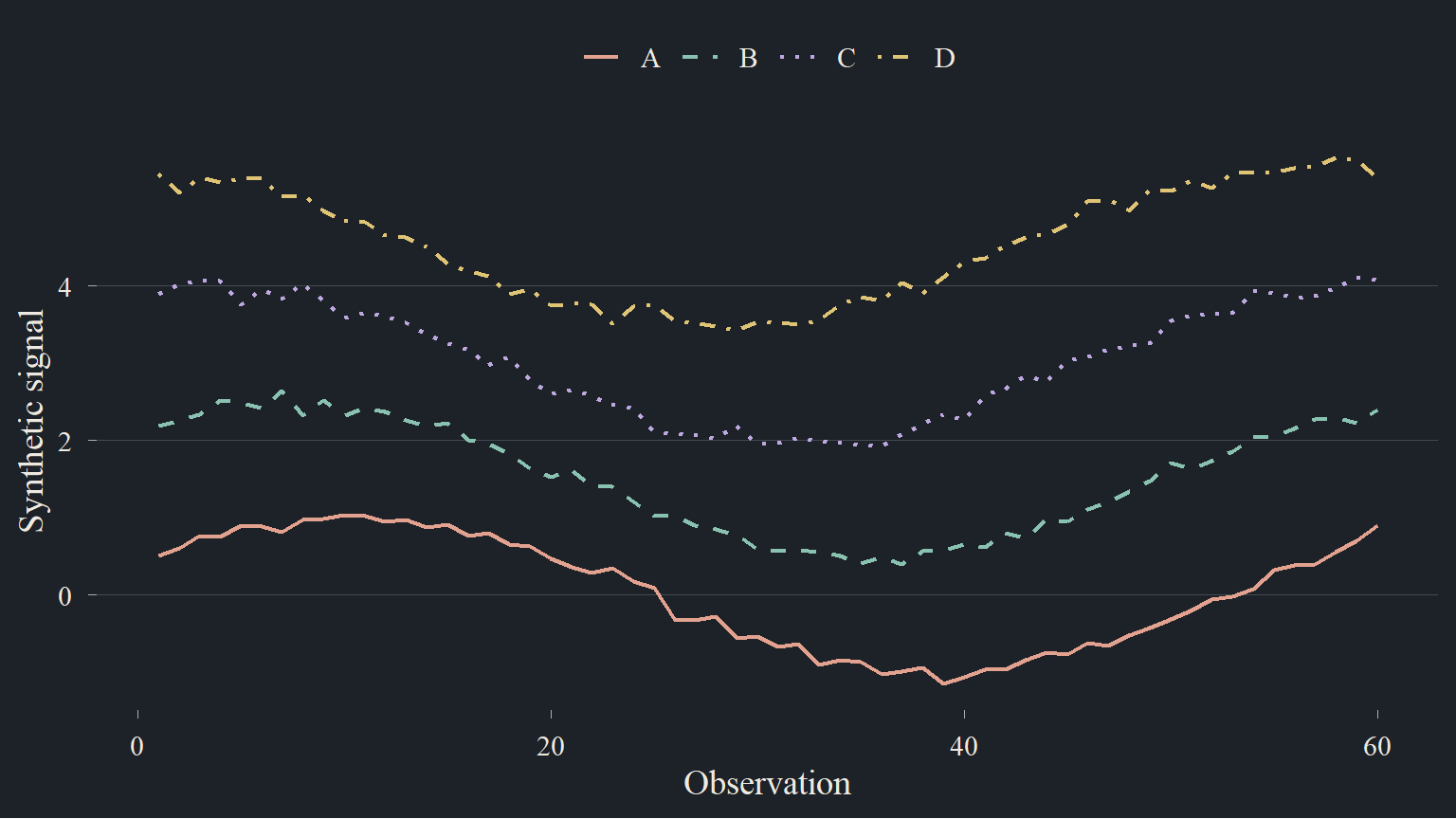
Four accents share the publication’s warm neutrals. Line styles identify the series independently of color. The examples below use invented signals solely to demonstrate the layout.
Copper Teal Plum Ochre
4.1 ggplot2: the static figure
This figure switches between two pre-rendered images when you change the site’s light/dark setting. R runs at render time, never in the browser.
4.2 Plotly: the interactive companion
Hover to inspect a value, drag to zoom, double-click to reset, or click a legend entry to hide a series. The same page theme switch updates chart backgrounds, text, and trace colors without recomputing the data.
Show R code
p <- plotly::plot_ly()
series_names <- levels(signals$series)
line_styles <- c("solid", "dash", "dot", "dashdot")
for (i in seq_along(series_names)) {
  rows <- signals$series == series_names[i]
  p <- plotly::add_trace(
    p, x = signals$day[rows], y = signals$value[rows],
    name = series_names[i], type = "scatter", mode = "lines",
    line = list(color = palette$series[[i]], dash = line_styles[i], width = 2),
    hovertemplate = "Observation %{x}<br>Signal %{y:.2f}<extra>%{fullData.name}</extra>"
  )
}
p <- plotly::layout(p, xaxis = list(title = "Observation"),
                    yaxis = list(title = "Synthetic signal"))
plotly_blechturm(p)
Two renderers, one palette. The static version remains useful in feeds and documents. Plotly provides inspection controls within this static website.
5 Tables, static and interactive
Show R code
| Statistic | Value |
|---|---|
| Count | 252.000 |
| Mean | -0.024 |
| Standard deviation | 0.974 |
| Minimum | -2.993 |
| Maximum | 2.702 |
Table 1 is a regular HTML table, suitable for copying and reading in RSS.
5.1 An R htmlwidget
This second table runs entirely in the browser after rendering. Try sorting a column, searching, or changing pages. It does not need an R server.
Show R code
A static table remains useful when an interactive widget is unavailable in a feed reader, PDF, or other non-browser output.
6 Mathematics
Inline mathematics, such as \(\mu = 0\) and \(\sigma = 1\), works within a sentence. A displayed equation can have its own label:
\[ \bar{x} = \frac{1}{n}\sum_{i=1}^{n}x_i \tag{1}\]
Equation 1 defines the sample mean used in Table 1.
7 Tabs and columns
Lorem ipsum dolor sit amet, consectetur adipiscing elit. Morbi leo risus, porta ac consectetur ac, vestibulum at eros. Integer posuere erat a ante venenatis dapibus posuere velit aliquet.
The inputs are synthetic normal draws with an explicit seed. This tab keeps a methodological aside close to the main text.
7.1 Lorem
Lorem ipsum dolor sit amet, consectetur adipiscing elit. Donec sed odio dui. Nullam id dolor id nibh ultricies vehicula ut id elit.
7.2 Ipsum
Praesent commodo cursus magna, vel scelerisque nisl consectetur et. Maecenas sed diam eget risus varius blandit sit amet non magna.
8 Callouts and disclosures
TipA collapsible explanation
Lorem ipsum dolor sit amet, consectetur adipiscing elit. This panel holds optional detail while leaving the main reading flow short.
ImportantA methodological assumption
These data are synthetic. A layout demonstration is not evidence about a real process.
WarningA limitation
This page demonstrates rendering features; it does not validate a model.
CautionA reproducibility reminder
Frozen computation does not detect changes to external data or packages. Rerun the article explicitly when those inputs change.
9 A native diagram
flowchart LR
  A["QMD source"] --> B["R execution"]
  B --> C["Frozen results"]
  C --> D["HTML article"]
  D --> E["Article listing and RSS"]
10 Citations and bibliography
The citation R Core Team (2026) comes from the local R installation’s actual citation metadata. Bibliography entries live beside this demonstration so the site’s shared bibliography can remain empty until real articles need it.
R Core Team. 2026. R: A Language and Environment for Statistical Computing. R Foundation for Statistical Computing. https://doi.org/10.32614/R.manuals.
Lorem ipsum dolor sit amet, consectetur adipiscing elit. Aenean eu leo quam. Pellentesque ornare sem lacinia quam venenatis vestibulum.
11 Reproducibility appendix
NoteSession information
| Component | Version |
|---|---|
| R | R version 4.6.1 (2026-06-24 ucrt) |
| Platform | x86_64-w64-mingw32/x64 |
| Package | Version | |
|---|---|---|
| knitr | knitr | 1.52 |
| rmarkdown | rmarkdown | 2.32 |
| ggplot2 | ggplot2 | 4.0.3 |
| DT | DT | 0.34.0 |
| plotly | plotly | 4.12.1 |